
A website, not a wall of commands
Every system has its own page with plain settings and a live preview of what players will see. Your admins can run the server from their phone.
Rust Console Edition bot · PS4, PS5 and Xbox servers
Surge connects to your Rust Console Edition server and gives you a website to run it from. Killfeed, raid alarms, offline raid protection, kits, events, an economy and a real web store, all set up with a few clicks instead of console commands.
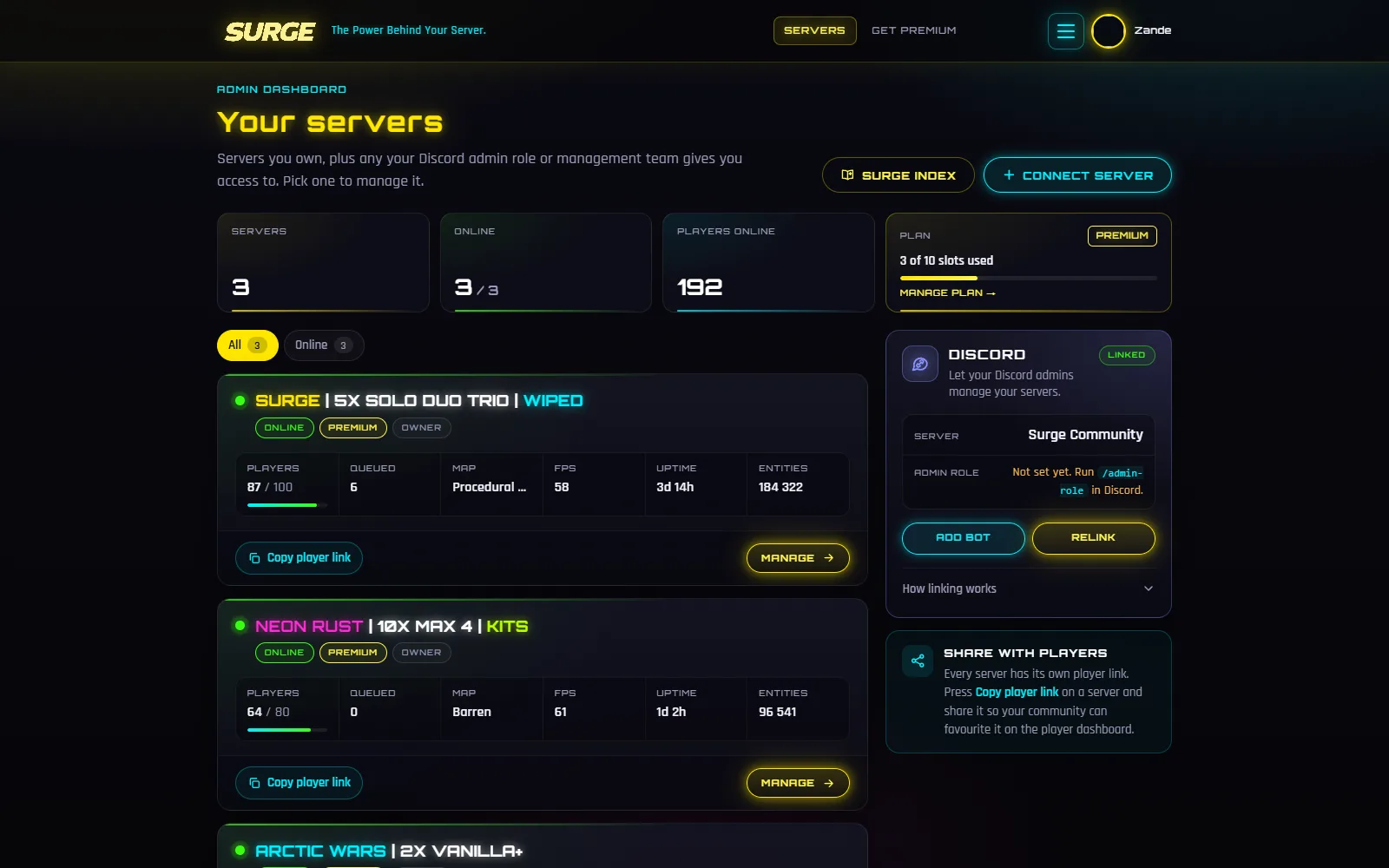
What Surge does
Most servers stitch together a few different bots and a lot of console commands. Surge puts it all behind one login, with one bot that handles both your game server and your Discord.
Offline raid protection
Bases are raidable while the team is online and protected once everyone logs off.
Learn moreDiscord raid alerts
Players wire an RF broadcaster to their own code and get pinged in Discord when they’re hit.
Learn more PremiumKits and Kit Builder
Kits claimed from the quick chat wheel, built by dragging items into a Rust inventory.
Learn moreAutomatic events
Crate drops, PvP arenas, 1v1, 2v2 and 3v3, Docked Cargo and Wicked Oil, run on a schedule by the bot.
Learn moreSafe zones and PvP areas
Safe trade spots, PvP arenas and hot zones with your own rules and messages.
Learn moreRates that survive restarts
Gather, loot, smelting, recyclers and decay, put back automatically after every reboot.
Learn moreKillfeed and leaderboard
Every kill in game chat and Discord, with K/D, streaks, distance and a top 10 leaderboard.
Learn moreCurrency, shop and games
Players earn for kills and playtime, then spend it in your shop or on casino games.
Learn moreReal money store
Sell kits, items and vehicles for real money. Payments go to you, delivery is automatic.
Learn moreTickets, giveaways, moderation
Tickets, giveaways, welcome messages, moderation and a live player count channel.
Learn morePrizes from your TikTok live
Set like goals for your stream and Surge hands out the prize in game when the live gets there.
Learn more PremiumLive map with rewind
Players, bases, Zorps and deaths on your real map, with an hour of rewind.
Learn moreWhy Surge
Every system has its own page with plain settings and a live preview of what players will see. Your admins can run the server from their phone.
Surge saves your rates and settings and puts them back after every restart. Zones come back by themselves when the bot reconnects.
Players get their own side of the site for your server, with kits, the shop, games, raid alarms, the live map, events and the leaderboard.
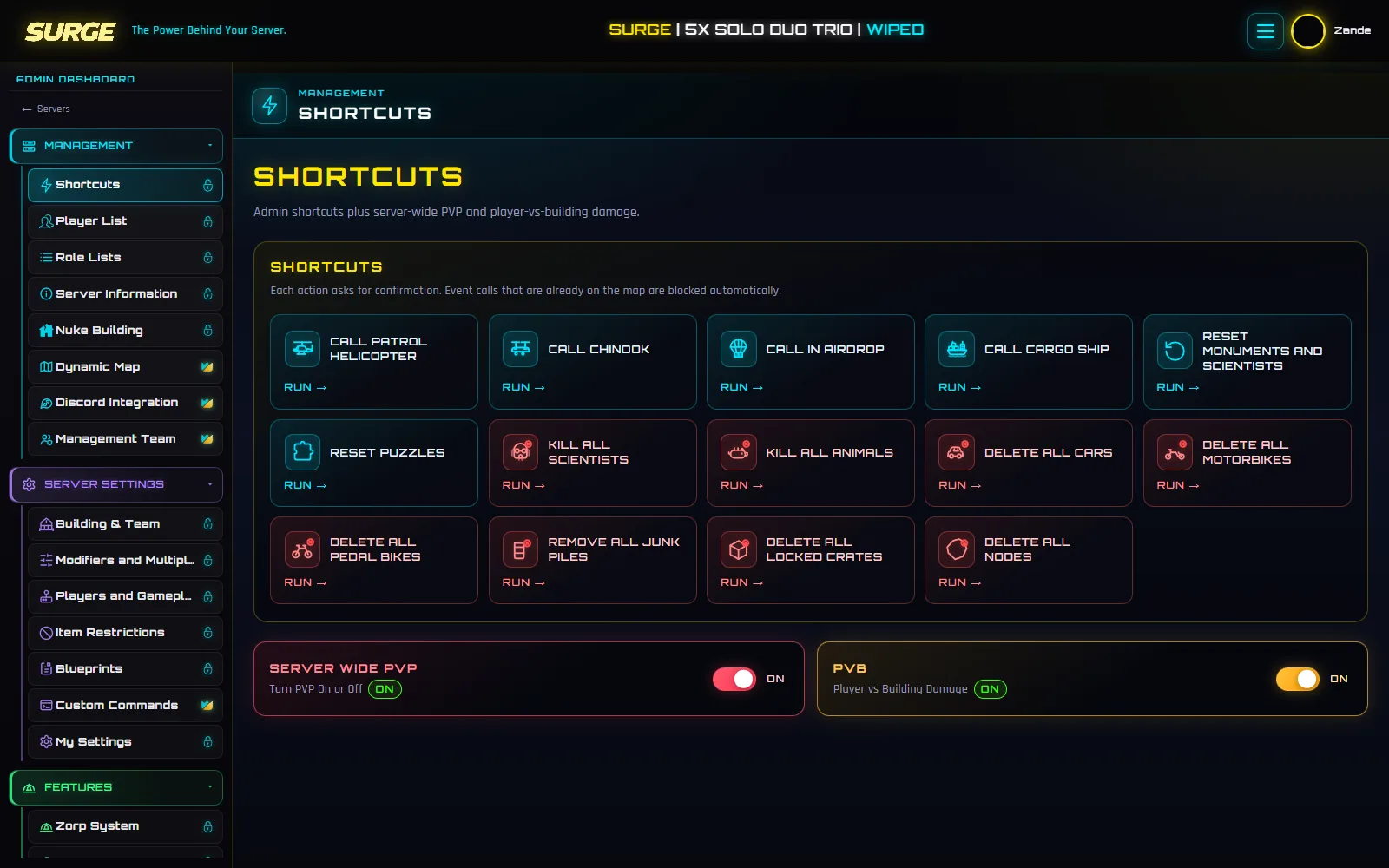
Call in a patrol heli, kill every scientist, reset puzzles or switch off PvP for an event, each with one tap. Add staff through a Discord role or the Management Team, and nobody ever needs your console password.
See the admin toolsGetting started
You need a Discord account and your server’s console details. That’s it.
No new password. Your Discord account is your login.
Type it exactly as it shows in game. You only do it once.
Enter the IP, console port and console password from your host.
Open your server and turn on what you want. The killfeed is already running.
Surge is a bot and web dashboard for Rust Console Edition servers. The bot stays connected to your server and the website is where you and your admins turn features on and set them up. Your players get their own side of the site for kits, the shop, games, the live map and raid alarms.
Surge connects with your server’s IP, console port and console password. If your host’s control panel shows those, you can connect.
Yes, for one server, with most of the dashboard included. Premium is €11.99 per server per month, with a volume discount from your second server.
Players sign in with Discord and link their in-game name once to use the player website. Things like the killfeed, events, zones and Zorp work for everyone on the server.
Yes. Surge works with the server, not the console, so it doesn’t matter what your players play on.
No. Surge is an independent tool and isn’t affiliated with Facepunch Studios or Double Eleven.
Free for one server, no card needed. Connect it in a few minutes and switch on what you want.