
Player List
Online, offline and banned players with search. Kick, ban and unban from one menu.
Run it without commands
Typing commands into a console on your phone is nobody’s idea of fun. Surge gives you and your admins a website with buttons for the things you do every day.
See who’s online, kick or ban someone, call in a patrol heli for an event, clear junk piles before they push up your entity count, and add staff without handing out your console password. When you do need a command, there’s a live console right in the dashboard.
Online, offline and banned players with search. Kick, ban and unban from one menu.
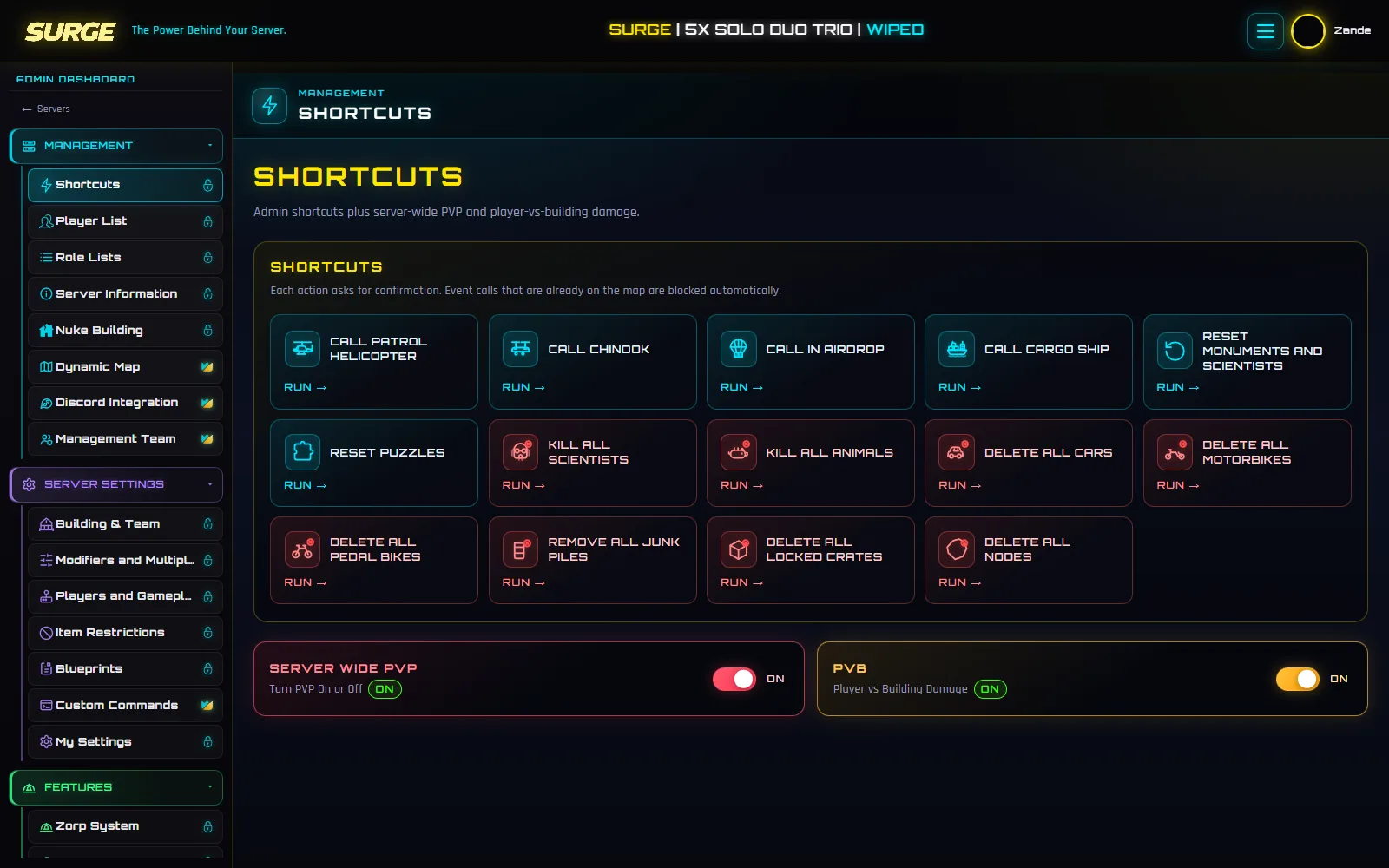
Call in a patrol helicopter, Chinook, airdrop or cargo ship, switch PvP and PvB on or off, kill all scientists and more.
Watch chat, kills and joins as they happen and run any command, with autocomplete and saved commands your team shares.
Find every building a player owns, see it on the map and delete one or all of them.
Entity count, uptime, FPS and memory with a rolling one-hour chart.
Add admins by their linked name. They never see your console details.
Connect your server with its IP, console port and console password.
Open the server from your Servers page.
Use the Management section for day to day jobs.
New to Surge? The setup guide covers connecting your server first.
Every option is explained in the documentation: Player List guide.
No. Add them to your Management Team or give them your Discord admin role. They can’t see or change the connection details.
Yes. Server Settings > Console is a live RCON console in the dashboard. It suggests commands as you type and keeps your saved commands one click away.
Yes. The whole dashboard works on mobile, and you can search any setting with the search button.
Yes. Free covers 1 server and Premium covers up to 10 on one account.
Rates that survive restarts
Gather, loot, smelting, recyclers and decay, put back automatically after every reboot.
Learn moreTickets, giveaways, moderation
Tickets, giveaways, welcome messages, moderation and a live player count channel.
Learn moreLive map with rewind
Players, bases, Zorps and deaths on your real map, with an hour of rewind.
Learn moreFree for one server, no card needed. Connect it in a few minutes and switch on what you want.