
Use my location
Stand where you want the middle of the zone and click once. Surge fills in the coordinates.
Safe zones and PvP areas
Want a safe spot for trading, an arena for events, or a radiation zone people have to gear up for? Custom Zones lets you place them yourself, anywhere on the map, with your own rules.
Each zone is a sphere or a square in the colour you pick. You decide whether PvP, NPC damage, building and raiding are allowed inside, add radiation if you want it, and write the messages players see on the way in and out.
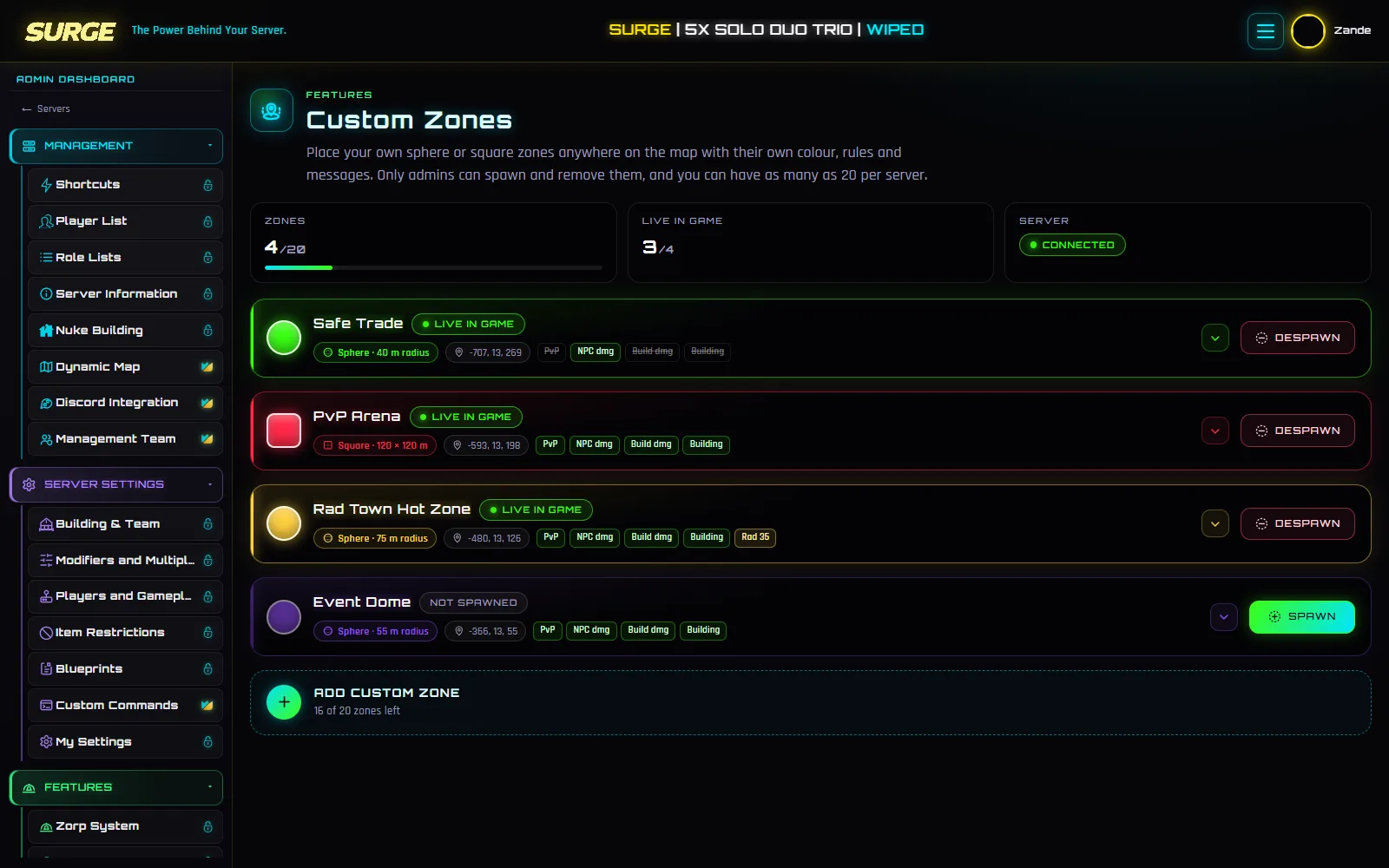
Stand where you want the middle of the zone and click once. Surge fills in the coordinates.
Rotate square zones to line them up with a road or a monument.
Keep zones saved and only put them in game for an event.
When the bot reconnects, it puts back every zone that should be live.
Each zone shows whether it’s live, missing in game or waiting for your server to come back.
Pick from presets or set your own colour so players know what kind of zone they’re in.
Open Features > Custom Zones and add a zone.
Name it, pick a colour, place it and set the rules.
Write the entry and leave messages.
Save and spawn it, or save it for later.
New to Surge? The setup guide covers connecting your server first.
Every option is explained in the documentation: Custom Zones guide.
Add a custom zone, turn off PvP, building and building damage, and spawn it. That gives you a safe trade spot.
A restart can clear them in game, but Surge puts them back as soon as the bot reconnects.
Zorp zones switch on and off with the team that owns them. Custom zones stay exactly how you set them until you change them.
Offline raid protection
Bases are raidable while the team is online and protected once everyone logs off.
Learn moreAutomatic events
Crate drops, PvP arenas, 1v1, 2v2 and 3v3, Docked Cargo and Wicked Oil, run on a schedule by the bot.
Learn moreRates that survive restarts
Gather, loot, smelting, recyclers and decay, put back automatically after every reboot.
Learn moreFree for one server, no card needed. Connect it in a few minutes and switch on what you want.